The recipe
The product’s composition, tolerances and standards are set once, in versions.
See: Recipes

ARA SERVICES software
Solara RH Solara BTP SolaraCompta SolaraCom Solara ForgePartner solutions
ESII overview Queue management Appointment scheduling Digital signage Interactive kiosks Patient journey Satisfaction measurement Driver reception All solutions →Solara software · Batch manufacturing
Production planning, scheduling, material requirements, batches, quality control and cost price: Solara Forge organises batch manufacturing in Dolibarr. Already in use in the building materials industry.
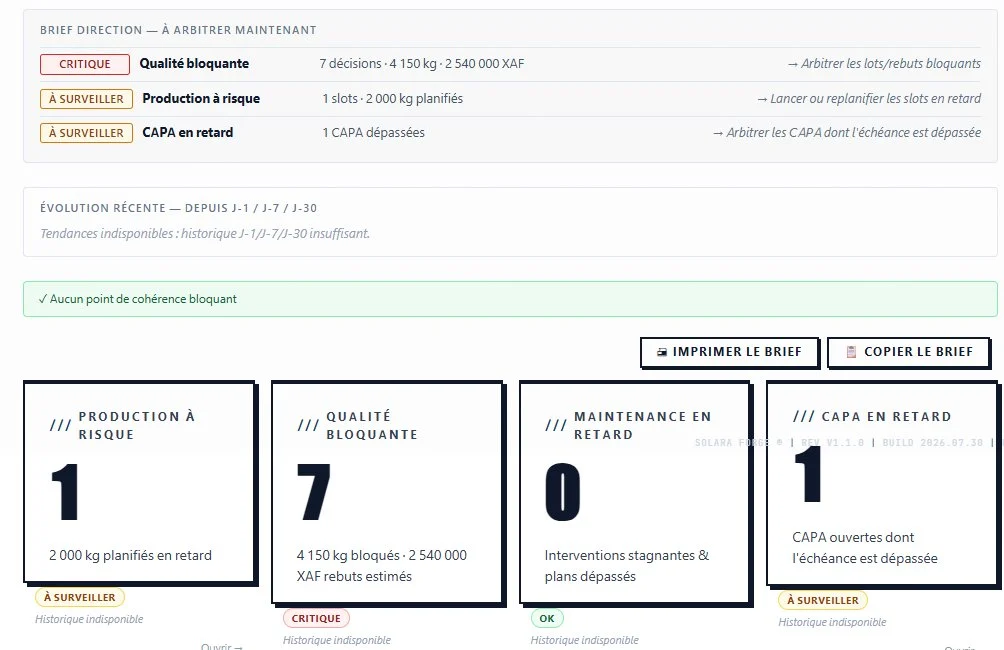
Management cockpit. Real screenshot, demonstration environment.
Batch production depends on material quality, sticking to the plan and keeping costs under control. Solara Forge connects these three dimensions.
Common problem: A production plan on a spreadsheet, disconnected from what happens on the shop floor.
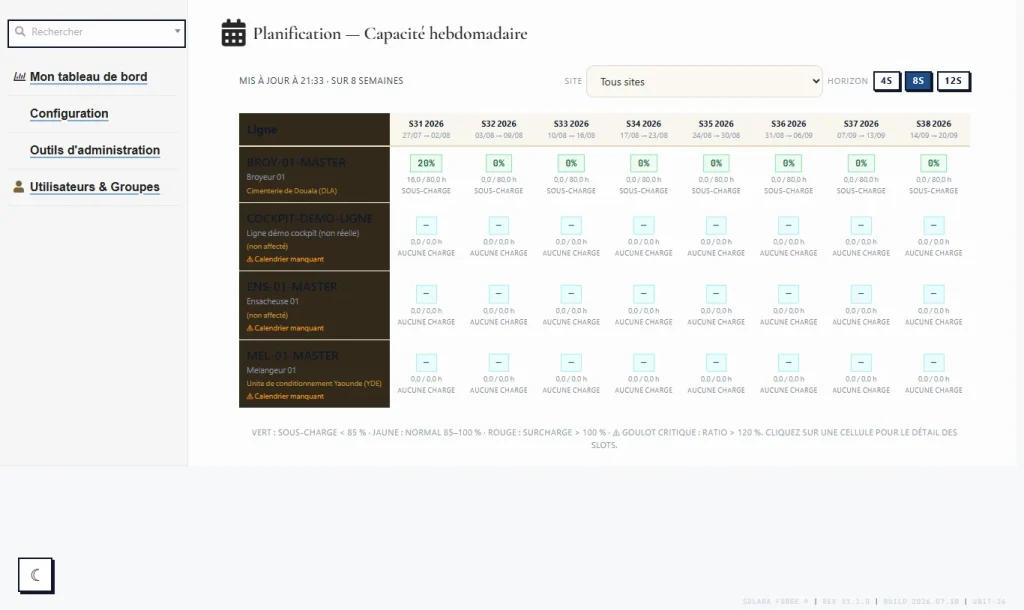
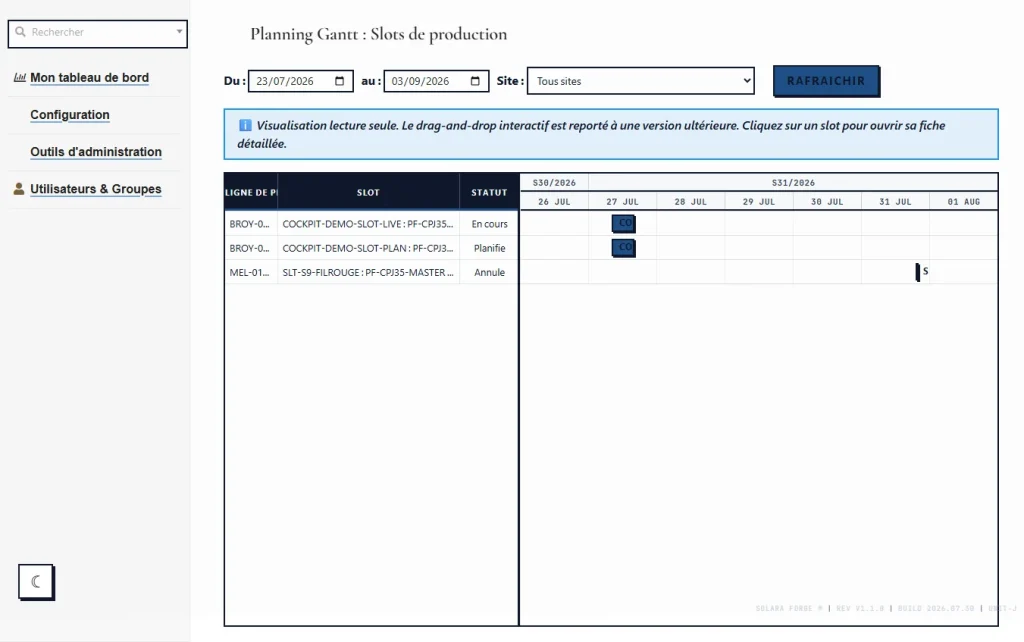
Forecasts, a frozen master production schedule, slots scheduled on the Gantt chart and work orders created automatically.
See: Planning
Common problem: A batch disputed by a customer, with no history of materials or checks.
From weighing raw materials to the certificate of analysis and the delivery note, every batch keeps its history.
See: Traceability
Common problem: A cost price known weeks after production.
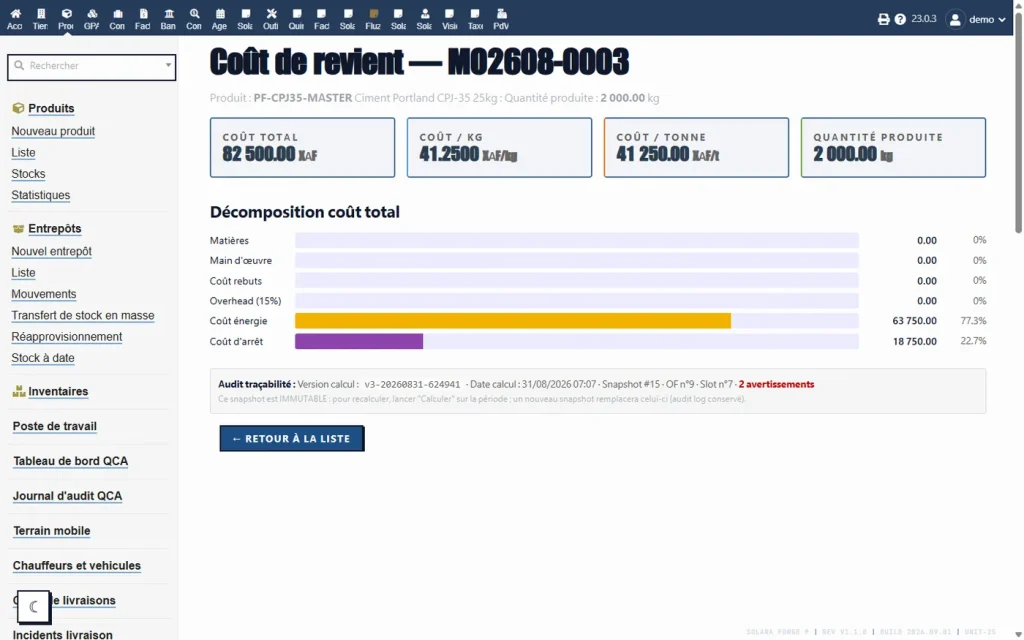
Analytical cost price per work order, aggregated by batch, by product and per tonne, and margin per batch.
See: Cost prices
The entire production cycle, from purchasing to shipping.
Sales forecasts, safety stock and master production schedule.
Slots per line on a Gantt chart and Dolibarr work orders.
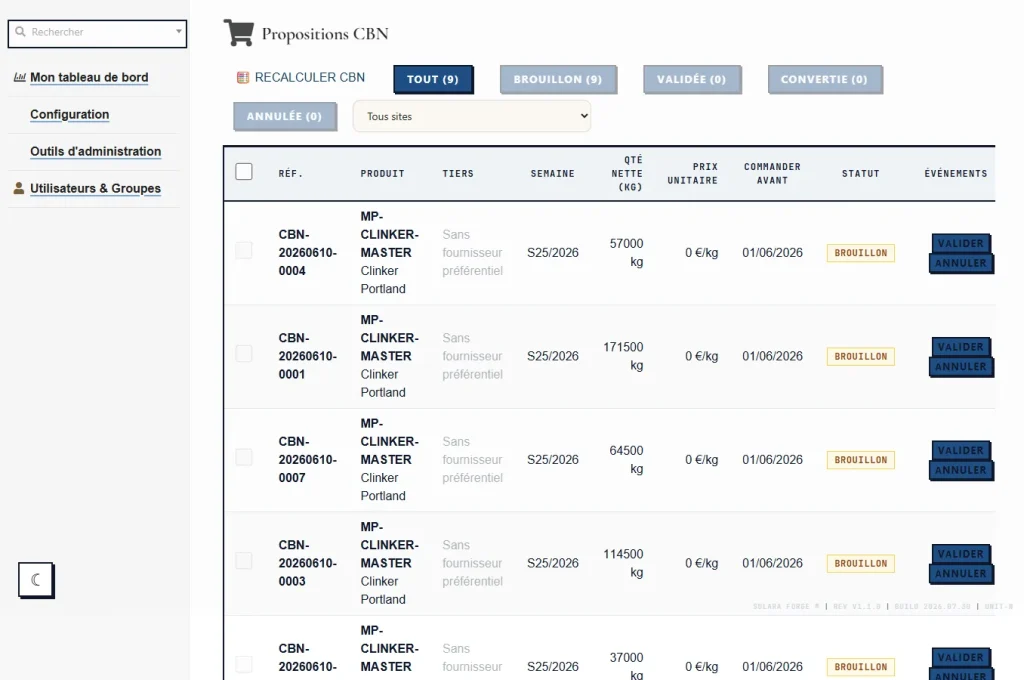
Net requirements calculation and proposals converted into purchase orders.
Truck weighing, raw material batches and goods-in inspection.
In-process and finished-product checks, certificate of analysis, non-conformities and corrective actions.
Weekly team time tracking, costs per work order and margin.
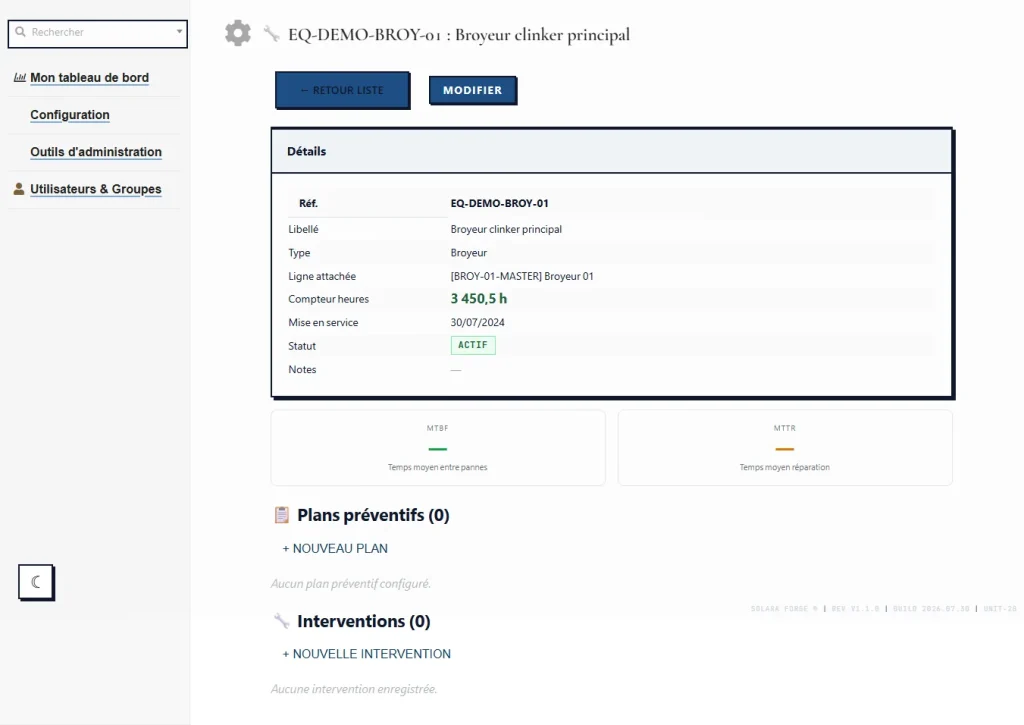
Equipment, preventive maintenance plans, calibrations, risk assessment document and safety incidents.
Management, Foreman and Quality cockpits, overall equipment effectiveness (OEE) and reports.
The demonstration plant’s screens, in the order of the industrial process.
Each product’s composition sets the share and tolerance of each material; an active recipe is locked and is cloned to create a new version.
On screen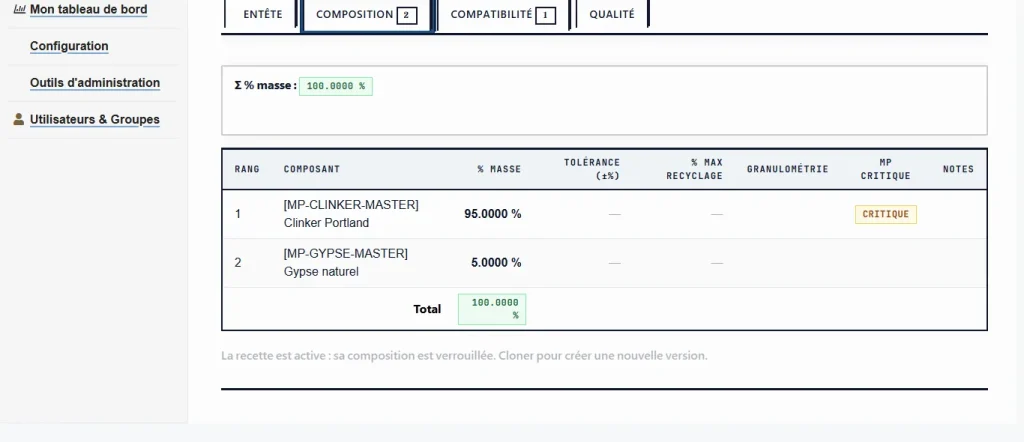
Actual screenshot, demonstration environment, fictitious data.
See these screens on your production line?
The complete industrial process in Solara Forge: each step builds on the previous one, and the delivered batch keeps a record of them all.
The product’s composition, tolerances and standards are set once, in versions.
See: Recipes
Forecasts feed the master production schedule, frozen before scheduling.
See: Planning
Slots are placed by line; launching them creates the manufacturing order.
See: Scheduling
The net requirements calculation proposes material purchases, converted into supplier orders.
See: Procurement
Trucks are weighed; raw materials are received in batches and checked on receipt.
See: Procurement
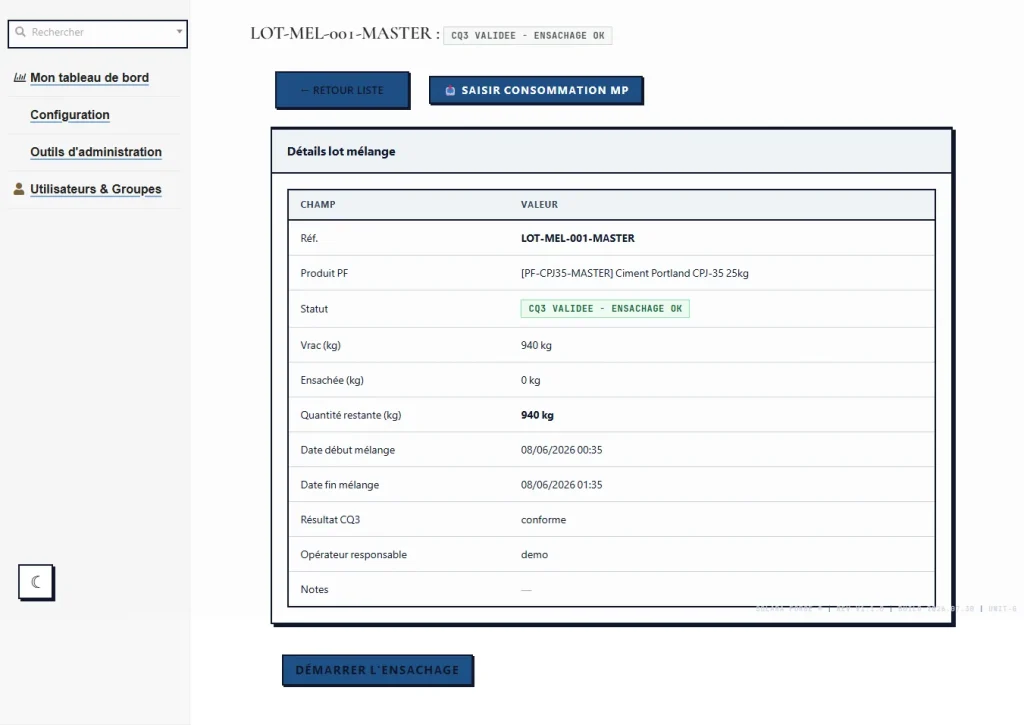
The mixing batch consumes material batches; after the check, bagging creates the finished-product batches.
See: Production
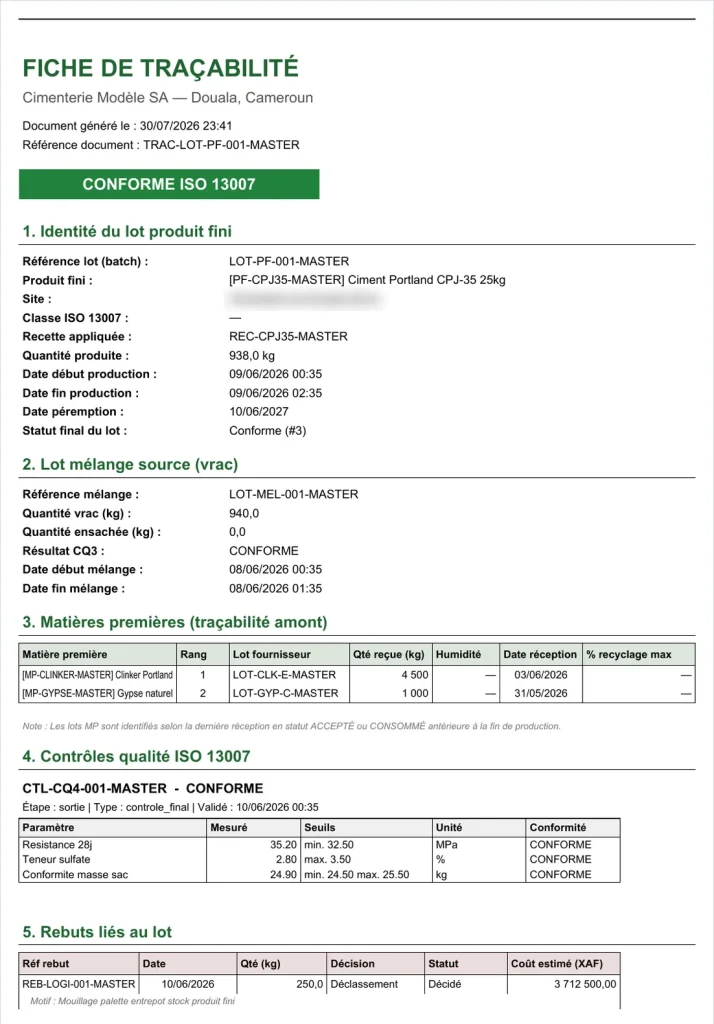
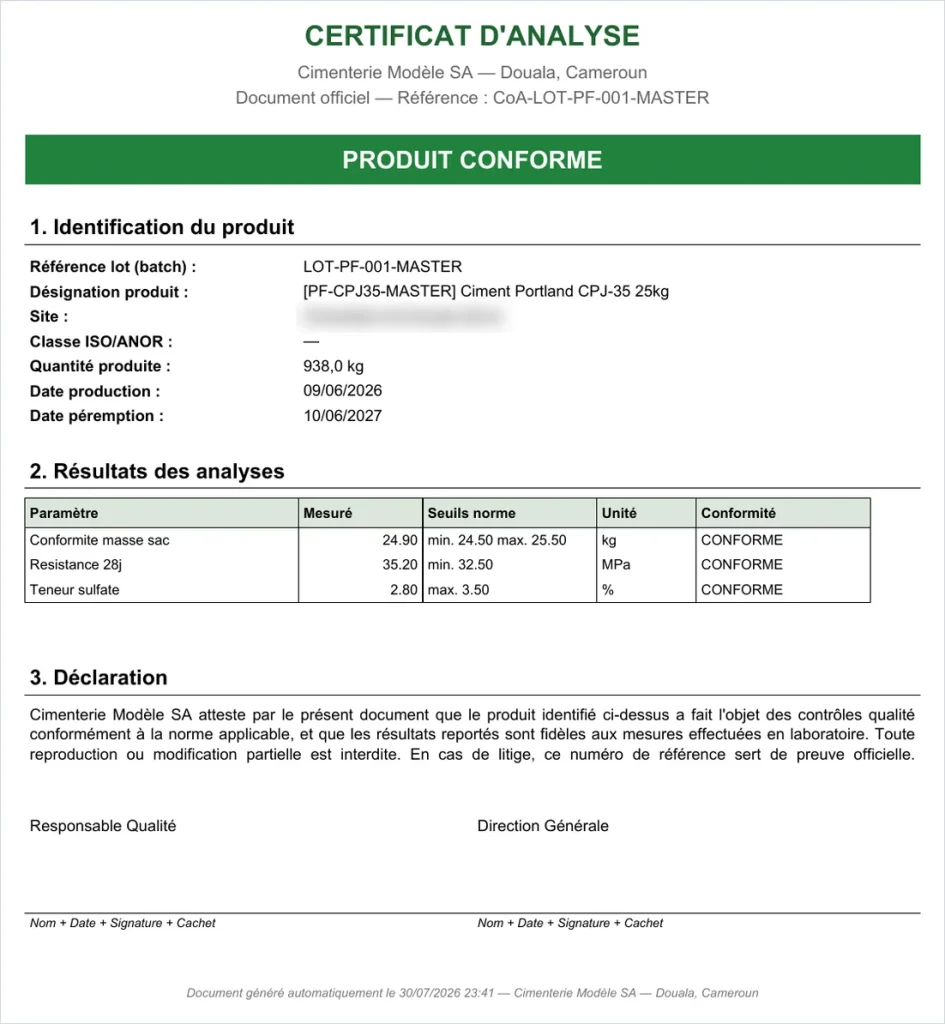
The final check produces the certificate of analysis; the traceability sheet links the delivered batch to its materials.
See: Traceability
Cost price per order, per batch and per tonne; maintenance, calibration and HSE complete management.
See: Cost prices
Solara Forge is in use at a building materials manufacturer, for batch production.
Let us walk through this on your production line.
Process industries that produce in batches from recipes, with quality and traceability requirements.
In your Dolibarr, with a commissioning assistant.
Products, lines, recipes, standards and costs set up step by step with our teams.
Role-based training (shop floor, quality, management) and support from ARA SERVICES.
Information checked against the product documentation, October 2026.
Dolibarr module, with a commissioning wizard; it runs alongside Solara RH in the same instance.
Shop floorTouch screens and an app launcher for shop-floor entries and checks.
ProfilesOperator, supervisor, quality officer, storekeeper, buyer and management control, administrator.
QualityStandards and thresholds configurable per product; a certificate of analysis for each batch.
In useAt a building materials manufacturer, for batch production.
Other industriesPrior study with our teams.
Another question? Our experts will answer.
Is Solara Forge already used in production?
Yes, at a building materials manufacturer, for batch production.
Can our operators enter data on the shop floor?
Yes, touchscreens and an application launcher are provided for shop-floor checks and declarations.
Does the module create real work orders?
Yes, launching a scheduled slot creates a Dolibarr work order.
Can we track quality against our own standards?
Yes. Standards and thresholds are configurable; checks guide data entry and compliance decisions.
Is it compatible with Solara RH?
Yes, Solara Forge runs alongside Solara RH in the same Dolibarr instance.
A demonstration led by an ARA SERVICES expert, from production plan to delivered batch.