The quote
The quote is priced from the library of work items: direct cost, overheads and margin.
See: Quote

ARA SERVICES software
Solara RH Solara BTP SolaraCompta SolaraCom Solara ForgePartner solutions
ESII overview Queue management Appointment scheduling Digital signage Interactive kiosks Patient journey Satisfaction measurement Driver reception All solutions →Solara software · Construction project management
From quote to final acceptance, Solara BTP connects the site (diary, time tracking, materials, safety) with the office (budget, payroll, invoicing, returns), on the web and on Android, even without network coverage, and on iPhone through Safari.
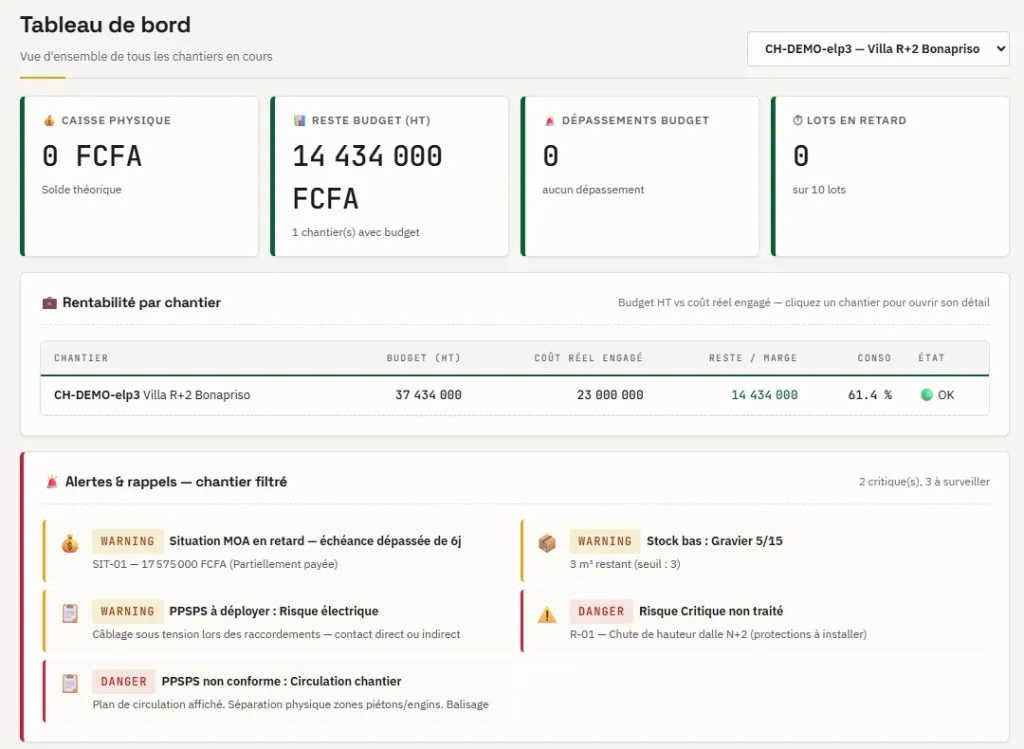
Project dashboard. Real screenshot, demonstration project with fictitious data.
A project rarely goes off track all at once: a late work package, an unassigned purchase, an unpaid progress claim. Solara BTP makes these signals visible in time.
Common problem: Overruns discovered at the end of the project, when it is too late to react.
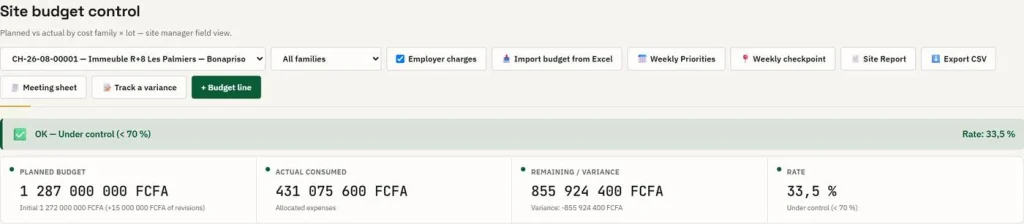
Initial and revised budget, cost price, amount still to collect and estimated margin, project by project and work package by work package.
See: Budget
Common problem: Site information re-entered at the office, sometimes days later.
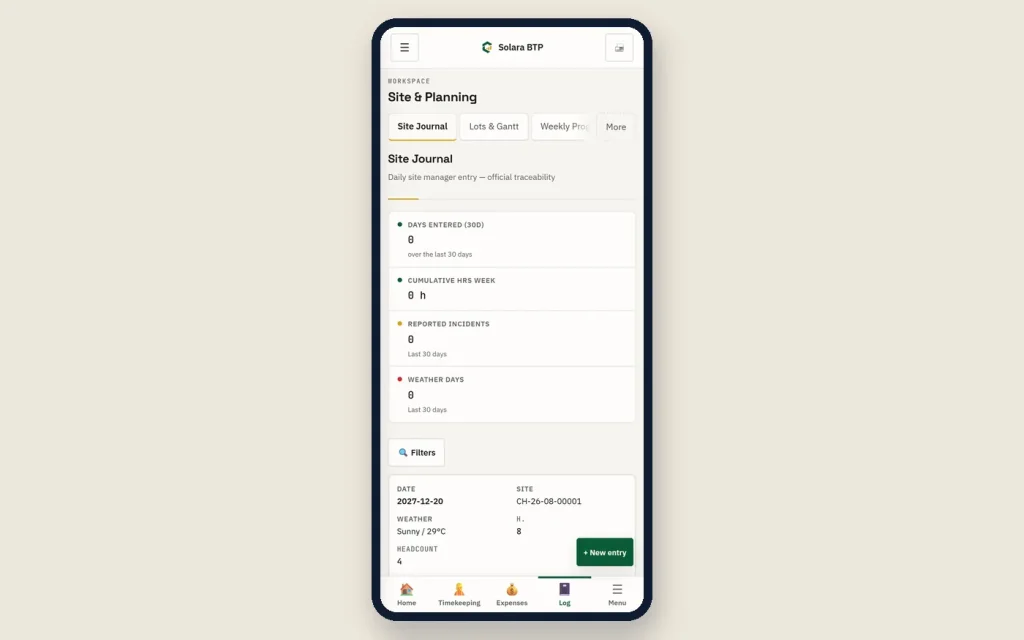
Site diary, weather, time tracking, material receipts and safety events entered on a phone, even offline.
See: Execution
Common problem: Costly mistakes: a measurement invoiced twice, a snag closed without proof.
A signed measurement record is never invoiced twice, out-of-range time entries are blocked, a snag cannot be cleared without proof.
See: Progress claims
Eight workspaces, one for each project role.
Dashboard, project comparison, financial progress curve and alerts.
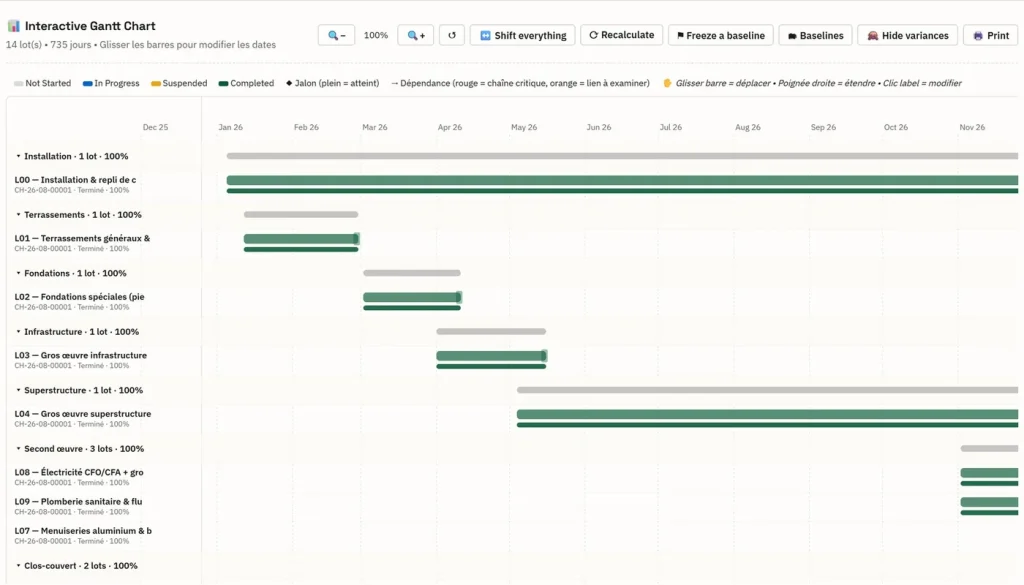
Gantt planning and critical path, site diary, weather and snag lists.
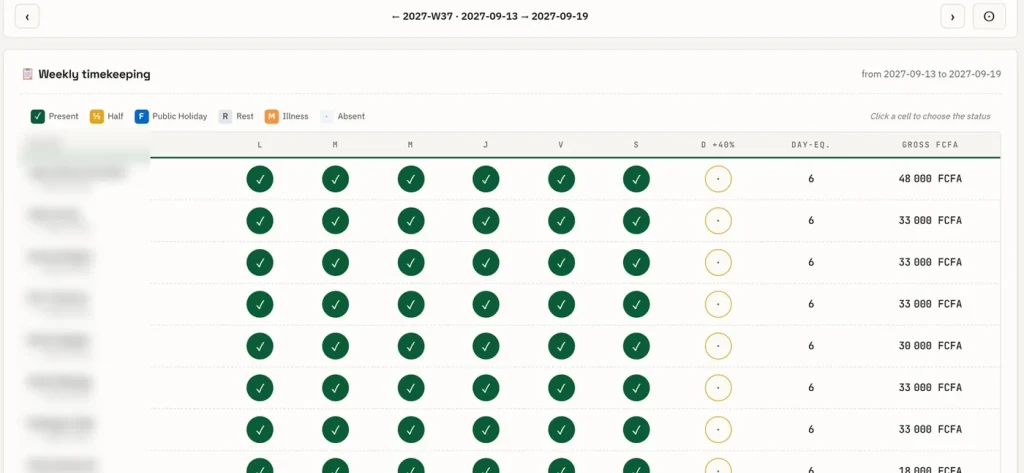
Time tracking, payroll for day labourers and piecework subcontractors, national construction industry collective agreement.
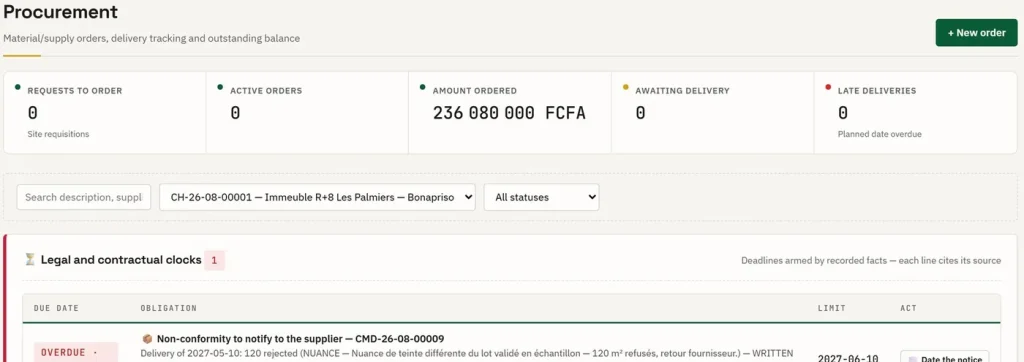
Orders, receipts, valued stock, plant and stock-out thresholds.
Contracts, piecework statements and retentions tracked through to final settlement.
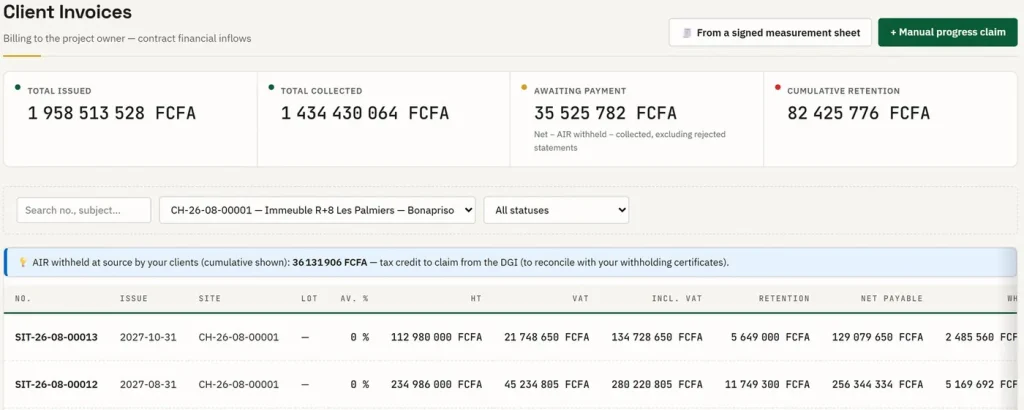
Quantity surveys and measurement records, progress claims, price adjustments, final account (DGD) and receipts.
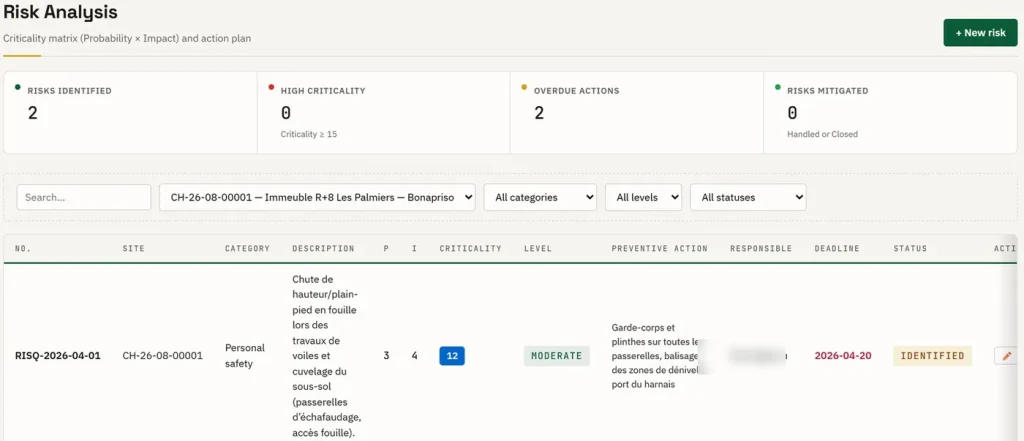
Risks, site-specific safety plans (PPSPS), accidents, authorisations and inspection registers.
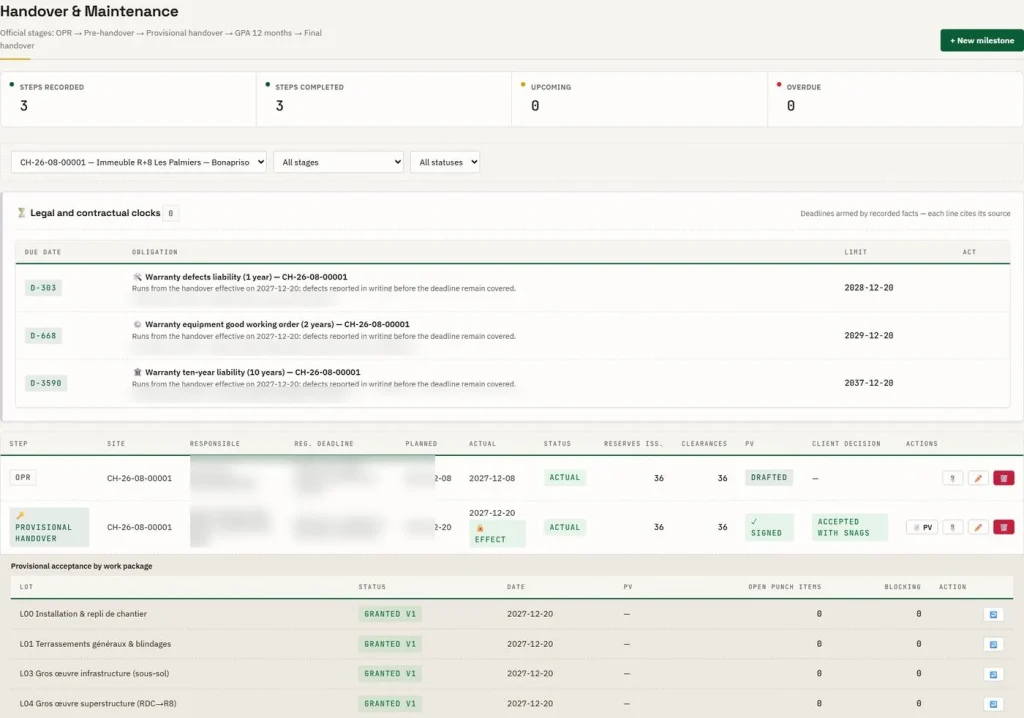
Document register, acceptance (pre-handover inspection, provisional, final) and sealed archive.
The application’s screens on the demonstration project, in the order of a construction project.
Each composite work item brings its components together per unit; direct cost, overheads and margin give the selling price.
On screen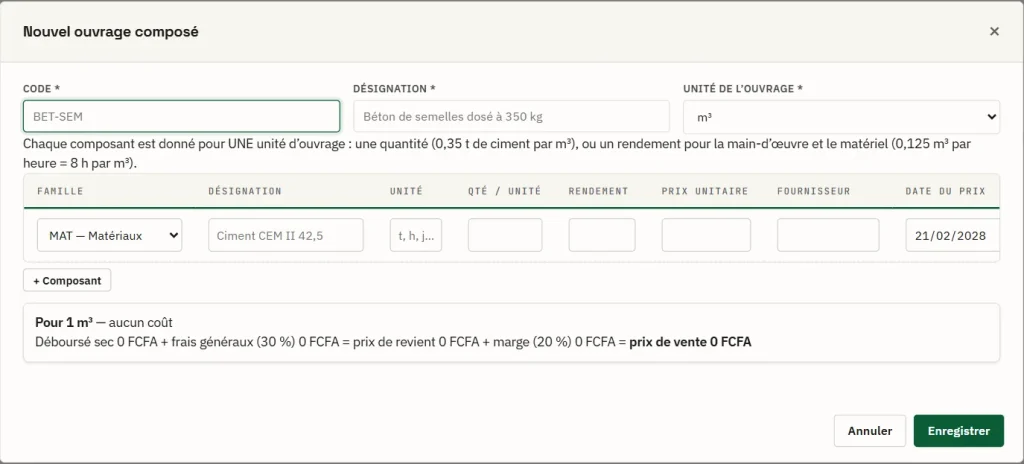
Actual screenshot, demonstration environment, fictitious data.
See these screens on one of your projects?
The eight stages of a project in Solara BTP, from the accepted quote to the entries sent to the accounting firm.
The quote is priced from the library of work items: direct cost, overheads and margin.
See: Quote
The project is split into work packages, each with its budget, on a Gantt schedule showing the critical path.
See: Schedule
Orders are tracked until delivery; each receipt feeds the stock and the package’s cost.
See: Purchasing
The site manager keeps the diary, tracks crews’ time and records expenses, even without a network.
See: Execution
Time tracking feeds the payroll of day labourers and pieceworkers, then the DIPE, DTS and DAS returns and the CNPS slip.
See: Teams
Signed quantities and measurements produce the progress claims; payments received are tracked.
See: Progress claims
Risks, action plans, accidents and inspection registers are kept project by project.
See: QHSE
Provisional then final handover, snag clearance, final account and SYSCOHADA entries for the accounting firm.
See: Handover
Let us walk through this on one of your projects.
Building and civil engineering companies, from general contractors to SMEs, with teams split between office and site.
On the hosting of your choice: your data stays in your own database.
Company, rate scales, projects, work packages, staff, items and budgets set up with our teams.
Role-based onboarding, manuals in French and English, support from ARA SERVICES.
Information checked against the product documentation, October 2026.
At the company, on the hosting of its choice; data stays in its own database.
DevicesInstallable web version, Android app (version 8 and later) and iPhone through Safari.
Without a networkOn Android and in the browser, entries are kept on the device and sent when the connection returns.
RolesManagement, works manager, site manager, accountant; invited external collaborators, such as the project supervisor.
LanguagesFrench and English, as each user prefers.
LicenceSubscription by key; 15-day trial.
Out of scopeSolara BTP does not keep the books (it produces the entries), does not make Mobile Money payments and does not produce the DSF.
Another question? Our experts will answer.
What happens when the site has no network?
Solara BTP works offline: entries wait on the phone and are sent to the server as soon as the network is back, with no action needed.
Where is our data?
On your company’s hosting: the application is installed on your side, in your own database, and you can export a backup at any time.
Does it replace our accounting software?
No. It produces the SYSCOHADA entries for your projects and exports them to your accounting firm’s software, in Excel or CSV.
Can our project supervisor (maître d’œuvre) access it?
Yes, as an external collaborator invited to the relevant project, with a profile that limits what they can change.
Is the interface available in English?
Yes, each user chooses their language, and the manuals are also available in English.
A demonstration led by an ARA SERVICES expert, on the demonstration project or on your own data.